概要
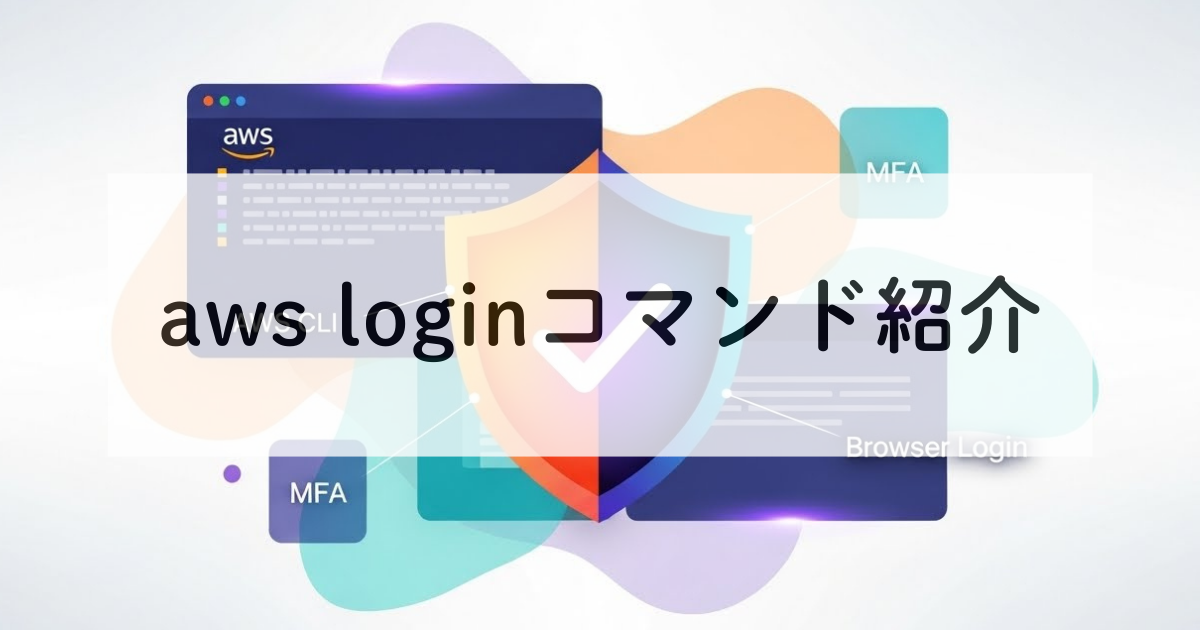
AWS CLIにおいて、ブラウザベースの認証が可能となりました。
これにより、ローカル環境のcredentialsファイルへアクセスキーを保存する必要がなくなり、最小限の設定(config情報のみ)でAWS CLIを利用できるようになります。
また、MFA(二段階認証)が必要な環境でも、ブラウザ上で一元的に完結するため、ローカル環境側で個別に二段階認証を行う必要がなくなりました。
準備
- AWS CLI:version 2.32.0 以上
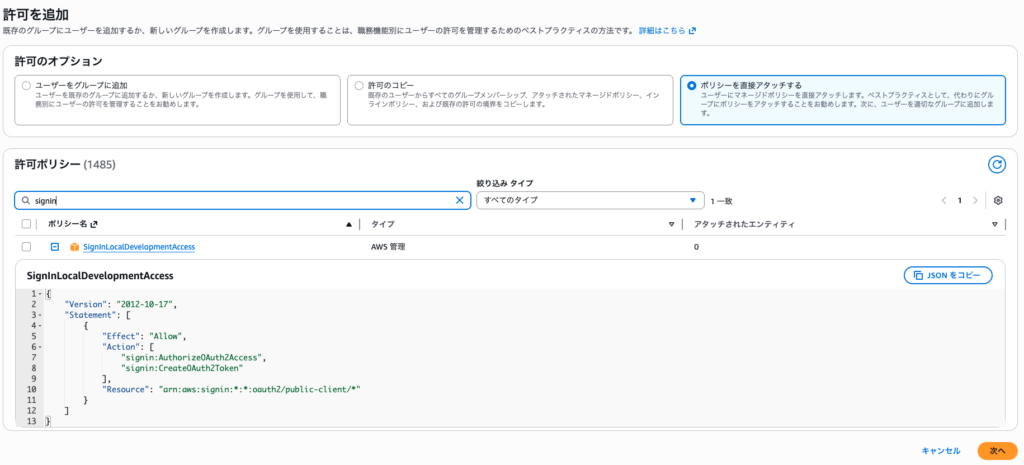
- 対象のIAMアカウントにポリシーをアタッチ
- SignInLocalDevelopmentAccessポリシー
- signin:AuthorizeOAuth2Access
- signin:CreateOAuth2Token
- SignInLocalDevelopmentAccessポリシー
実際に利用してみた
ローカルの開発環境においては、aws login コマンドを実行するだけで認証を開始できます。

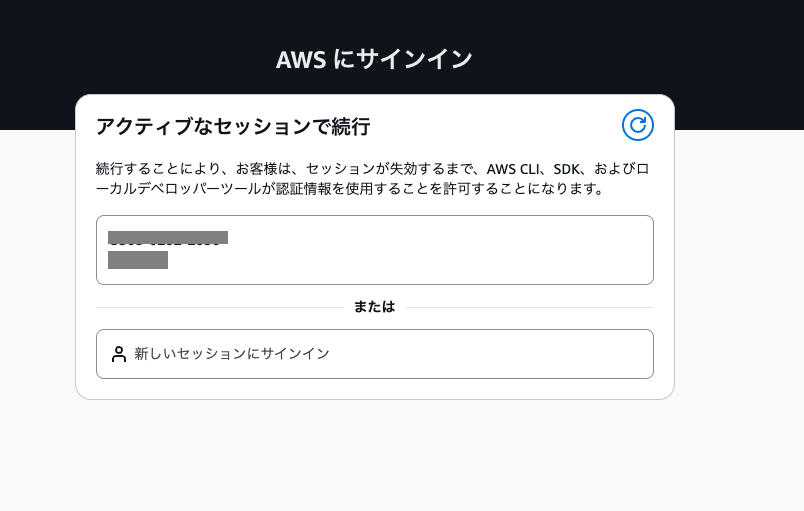
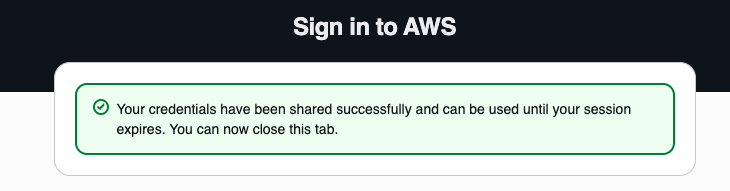
また、--profile オプションを指定することで、利用するプロファイルを切り替えることも可能です。複数のAWSアカウントを扱う場合には、プロファイルを使い分ける運用が適しているでしょう。
なお、--profile test の test は、従来の credentials ファイルに定義されたプロファイルではなく、本認証方式で利用するためのプロファイル名となります。
# identity情報なし(確認)
$aws sts get-caller-identity --profile test
The config profile (test) could not be found

# aws loginを試みる →config情報が自動で作成される
$aws login --profile test
No AWS region has been configured. The AWS region is the geographic location of your AWS resources.

If you have used AWS before and already have resources in your account, specify which region they were created in. If you have not created resources in your account before, you can pick the region closest to you: https://docs.aws.amazon.com/global-infrastructure/latest/regions/aws-regions.html.

You are able to change the region in the CLI at any time with the command "aws configure set region NEW_REGION".
AWS Region [us-east-1]: ap-northeast-1
Attempting to open your default browser.
If the browser does not open, open the following URL:

https://ap-northeast-1.signin.aws.amazon.com/v1/authorize?response_type=code&client_id=xxxxxx~~

Updated profile test to use arn:aws:iam::************:user/username credentials.
Use "--profile test" to use the new credentials, such as "aws sts get-caller-identity --profile test"

# identity情報が作成される
$aws sts get-caller-identity --profile test
{
    "UserId": "userid1234567890",
    "Account": "************",
    "Arn": "arn:aws:iam::************:user/username"
}

$cat .aws/config
[profile test]
login_session = arn:aws:iam::xxxxxxxxxx:user/username
region = ap-northeast-1


# サーバーログイン可能
$aws ecs execute-command  \
    --region ap-northeast-1 \
    --cluster test-cluster \
    --task xxxxxxxxxxxxxxxxxxxxx  \
    --command "sh" \
    --interactive \
    --profile test

The Session Manager plugin was installed successfully. Use the AWS CLI to start a session.


Starting session with SessionId: ecs-execute-command-xxxx
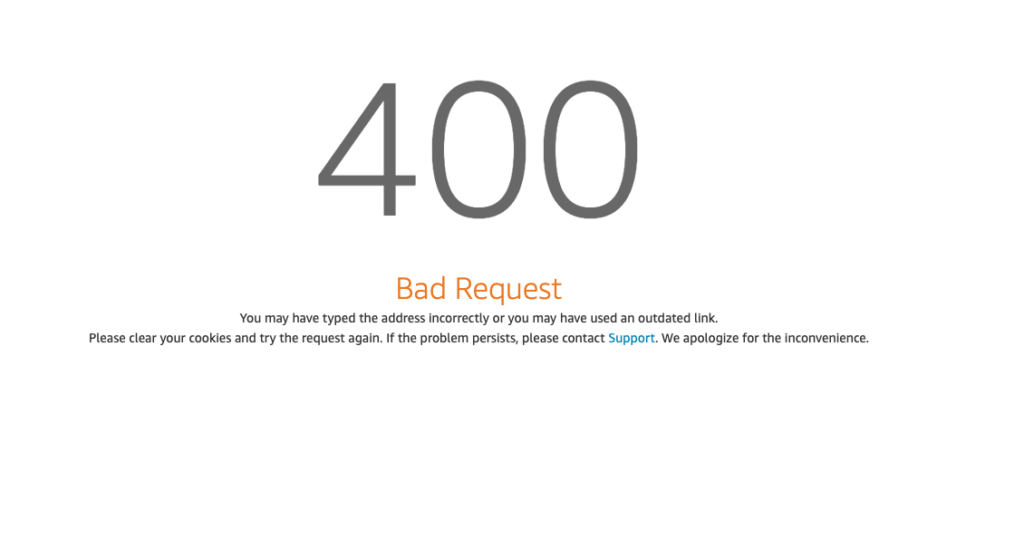
/var/www/rails(STG)# なお、SignInLocalDevelopmentAccessポリシーがアタッチされていないと、ブラウザ認証時にエラーとなります。
まとめ
本記事で紹介した認証方式を利用することで、アクセスキーをローカル環境に保持する必要がなくなり、情報漏えいなどのセキュリティリスクを低減できます。
また、これまでブラウザとCLIそれぞれで対応が必要であった二段階認証についても、ブラウザ上で一元的に管理できるようになります。
こうした利便性と安全性の向上を踏まえると、今後は本方式がAWS CLIにおける標準的な認証手段の一つとして普及していくことが期待されます。
参考
DevelopersIO, suzuki.ryo, AWS CLIの 新機能 aws login コマンドを試してみた(2025年12月閲覧)https://dev.classmethod.jp/articles/aws-cli-aws-login/
iret.media, 淺野 浩史, 面倒なキー管理は不要!aws loginの認証フロー(2025年12月閲覧)
https://iret.media/176801
AWS Identity and Access Management, AWS セキュリティ認証情報を使用してプログラムでアクセスする(2025年12月閲覧)
https://docs.aws.amazon.com/ja_jp/IAM/latest/UserGuide/security-creds-programmatic-access.html



管理-300x158.png)